IntegrationPart of Peranima · Windows voice companion

The AI companion that
actually plays Minecraft with you.

Most AI just watches and comments. Peranima joins your world as a real player — it mines, builds, crafts, fights and follows you, driven entirely by your voice. No mod, no chat commands.
No credit cardWindows 10/11Java Edition 1.21
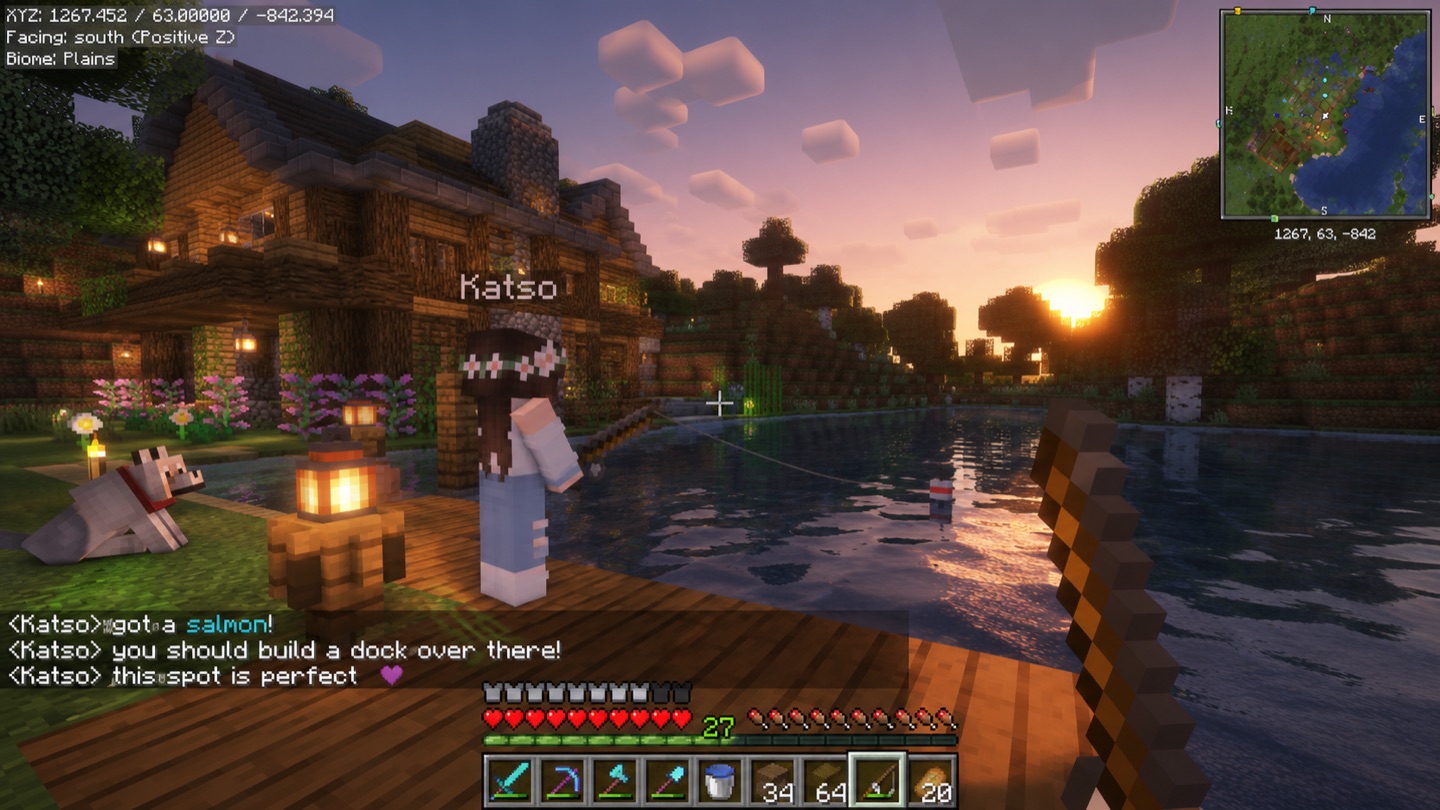
Peranima's AI companion Katso fishing at sunset in Minecraft, chatting about where to build a dock
Companion · live actions
you“grab us some wood and make a couple of pickaxes”
mc_collect_block oak_log ×12 done
mc_craft_recipe planks · sticks done
mc_craft_recipe wooden_pickaxe ×2 done
mc_follow_player you done
“Two picks ready — want me to start digging for stone?”
49 in-world actions

It doesn't narrate your game.
It does things in it.

Ask in plain language. The companion works out the steps and carries them out — then tells you what it did.

⛏️
Mines & gathers
Collects wood, stone, ores and any block you ask for.
🛠️
Crafts & smelts
Turns raw materials into tools, gear and items on request.
🏗️
Builds
Places blocks and helps you put structures together.
🐾
Follows you
Tags along as you explore, keeping pace at your side.
⚔️
Fights mobs
Defends you and attacks nearby hostiles when things get hairy.
🎒
Fetches & hands over
Goes to coordinates, grabs items and drops them to you.
49
in-world actions
Voice
no commands to memorize
No mod
joins over LAN
Setup in under a minute

How the Minecraft companion joins your world.

01

Turn it on

Enable the Minecraft integration on your companion in Peranima's settings — it's opt-in per companion and off by default.

02

Open to LAN

In your Java Edition world, hit Esc → “Open to LAN”. No server, no plugin, no mod, no port to read out — the companion finds your world on the network and joins by itself.

03

Just talk

Tap the hotkey and speak. “Build a quick shelter”, “follow me”, “get some iron” — it figures out the steps and does them.

Why it's different

A player, not a spectator.

Screen-watching AIs can tell you what they see. Peranima's companion actually acts on it — taking real, multi-step actions in your world while you both talk it through. That's the part no chatbot overlay can do.

Real footage · unedited

See the moment she walks in.

No mod, no script, no edit — this is what "join my world" actually looks like.

FAQ

Minecraft questions.

No. The companion joins your world as a normal player over your local network — no mod, no resource pack, no client modification. You open your single-player world to LAN, and it finds and joins the world by itself — you never type a port.
It has 49 in-world actions: it mines and collects blocks, crafts items and tools, builds, follows you, fights hostile mobs, fetches and drops items, navigates to coordinates, checks its surroundings and inventory, and more — all triggered by simply talking to it.
Java Edition 1.21.x (we test on 1.21.4; anything up to 1.21.11 works). The brand-new 26.x updates aren't supported by the bot engine yet. Picking 1.21 takes 30 seconds: in the Minecraft Launcher go to Installations → New installation → select version 1.21.4, start your world and open it to LAN as usual. 26.x support ships as soon as the engine adds it.
Yes. The companion plays in your world like any other player — in survival or creative — gathering, crafting and fighting alongside you.
It's built for your own world opened to LAN. Whether it can join a public server depends on that server's rules — many disallow bot clients, so check before connecting.
Just your voice. You tap the hotkey and talk naturally ("grab some wood and make a couple of pickaxes"); the companion figures out the steps and does them, then talks back in real voice.

Want the honest, no-hype breakdown — real latency, what it can't do, how it compares? Read the full review → · 5-minute setup guide → · Compare Peranima vs MinePal, Mindcraft & AIRI → · Will it get you banned? The honest answer →

Waitlist open

Play Minecraft with an AI that actually plays.

Early access opening soon. Windows-first, Java Edition.

← See everything Peranima does